
Speed up builds with the Test Engine Client
The Buildkite Test Engine Client (bktec) is a powerful tool that leverages your Test Engine test suite data to make your Buildkite pipelines run faster and be more reliable.
Faster build times with test splitting
Intelligently partition your pipeline with bktec to substantially reduce build times on your critical path to delivery. bktec split tests automatically based on your historical timing data, and maintains peak speed through continuous optimization and automated re-balancing.
The following image from Test Engine's test splitting setup page illustrates how this feature works.
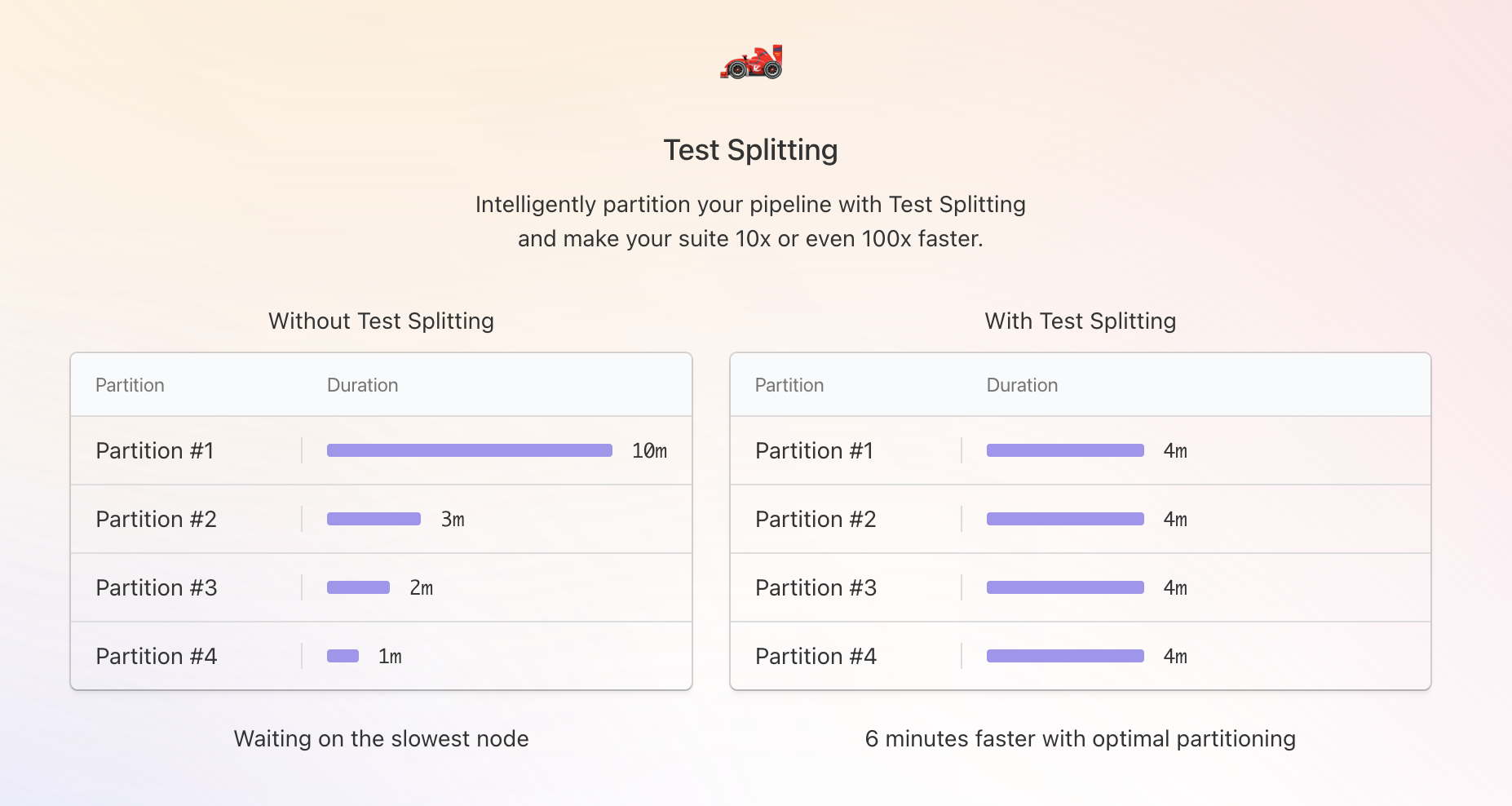
In this example, without bktec, the test suite build time would take as long as it takes for the slowest combination of tests to run on a single partition (Buildkite job), which is 10 minutes.
Since the sum of all test executions across all agents is 16 minutes, with test splitting implemented, all four partitions would take approximately 4 minutes to run, such that the overall test suite build time would be approximately 4 minutes, or a 6-minute reduction.
Partition timeline
The test splitting setup page shows a partition timeline for each run, with a bar for each partition that reflects how its test time was distributed across assigned tests.
Two breakdown views are available using the Breakdown dropdown:
- Actual: sizes each test's segment using the actual execution durations recorded for that run. This is the default view. If no actual durations match the tests in a partition, this view uses their estimated durations. If actual durations match only some tests, tests without matching data have no width.
- Estimated: sizes each test's segment using the estimated durations from the test plan.
Each test segment's hover card shows its estimated percentage of the partition's test time. When a matching actual duration is available, the hover card also shows the actual percentage.
The Show Retries checkbox, checked by default, controls whether retry execution segments are visible in the actual breakdown. Clear the checkbox to remove retry segments and rescale the remaining segments to fill the bar.
Increase build reliability with test states
bktec uses test state data from your test suite to mute or skip problematic tests, which quarantines them, so that flaky tests don't affect the result of your build. Quarantining reduces build times by ensuring passing builds, first time, without having to retry jobs with failing tests.
A test marked skip within a test suite won't be executed as part of its test run.
A test marked with mute within a test suite will still be executed, but the result of the test will be ignored.
Buildkite recommends muting tests rather than skipping them, as a muted test will still report its result to Test Engine, so if the test's reliability improves over time, it can be re-enabled.
Learn more
bktec and its test splitting feature are available to all customers on the Free, Pro, and Enterprise plans. Test state management is available to customers on the Pro and Enterprise plans. If you are on a legacy plan, contact sales@buildkite.com to request access to these features.
Learn more about how to install and use bktec.