
Test state and quarantine
Test Engine's Test state management feature provides the test state flags of enabled, muted and skipped.
Quarantine refers to the action of moving a test from a trusted state (enabled) to one of the untrusted states (muted or skipped). Tests can be quarantined automatically or manually.
Quarantining flaky tests and then using bktec on pipeline's builds allows the pipeline to be built more rapidly, and run with a higher success rate.
Pro and Enterprise plan features
The test state management and automatic quarantining features are only available to customers on the Pro or Enterprise plan.
Lifecycle states
Users with the Full Access permission to a test suite can enable a Test state in a test suite's Settings, by selecting the appropriate test states that quarantining can be based upon.
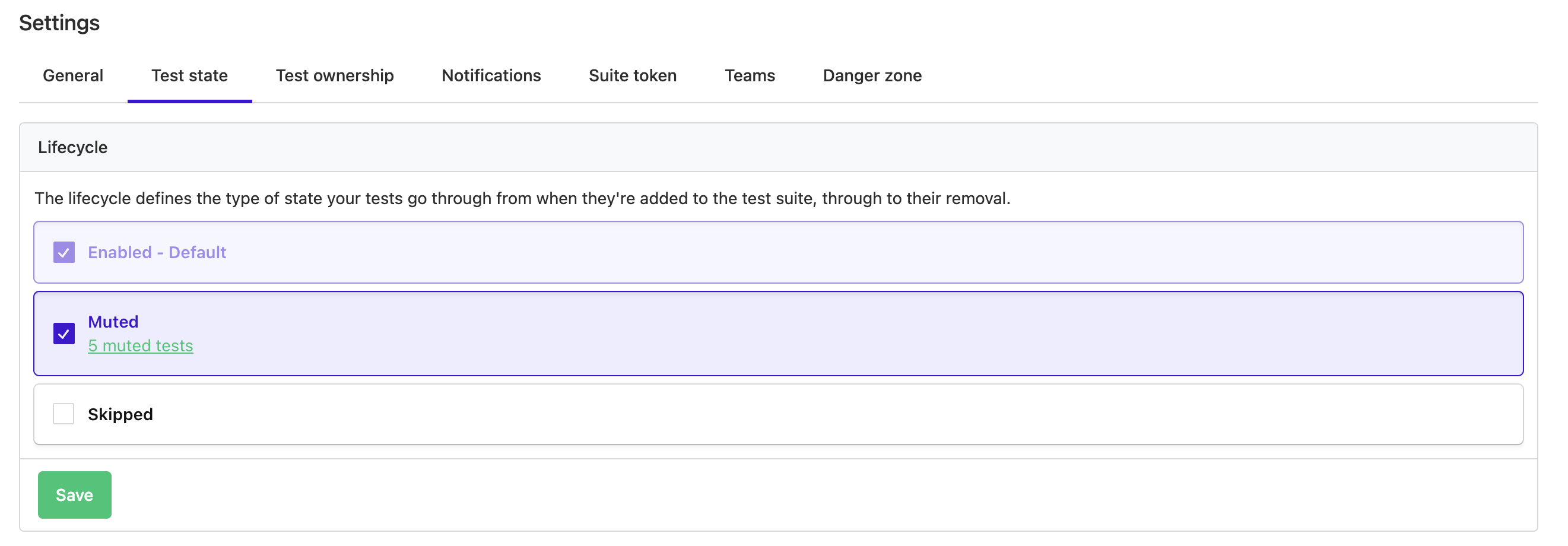
Mute (recommended)
Prefer muting over skipping. Muted tests continue running, but their failures do not affect the build result. Test Engine continues collecting execution data from muted tests, so it can detect when they become reliable.
Skip
Use skipping only when a test must not run. Skipped tests do not produce execution data, so Test Engine cannot detect when they become reliable. If you skip flaky tests, use a scheduled pipeline to run them and collect their results.
Automatic quarantine
You can automatically quarantine tests using workflows. To do this, use the workflow change state action, to automatically transition tests into different states.
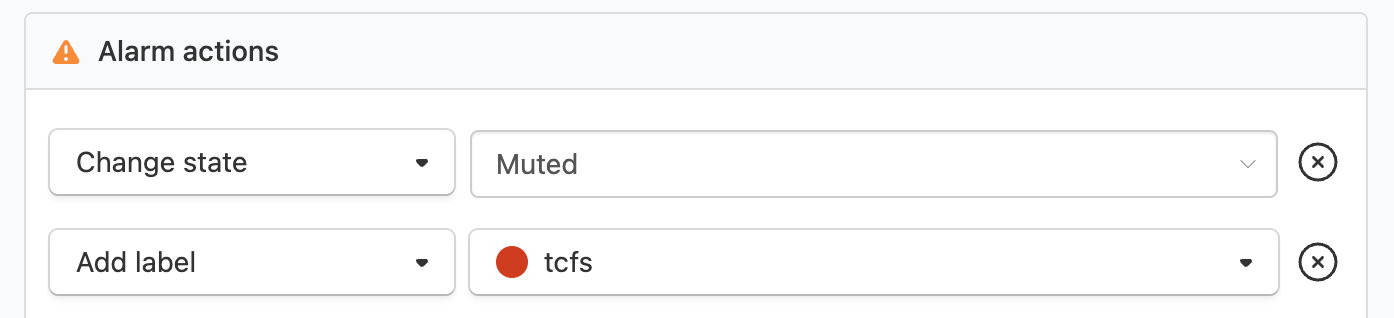
Using labelling on a test when it is quarantined and removing the label when the test is released from quarantine is also recommended. Learn more about automatic labelling in workflow label actions.
Manual quarantine
You can manually quarantine flaky tests using the dropdown menu within the test's page itself or the test digest. This helps unblock builds affected by unreliable tests in real time.
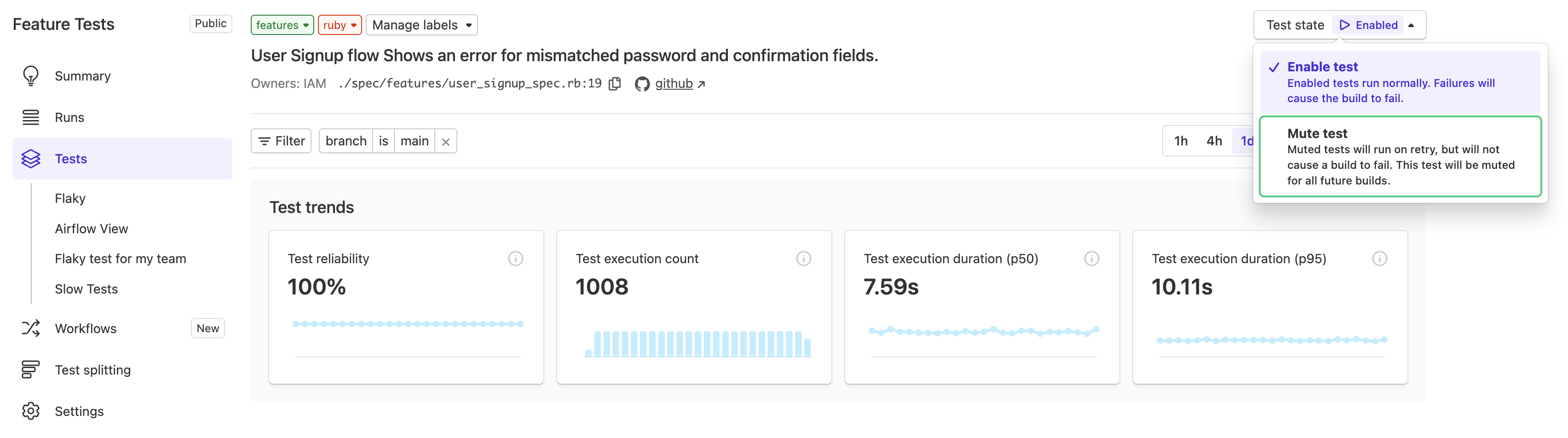
Manually quarantining a test either mutes or skips that test when the pipeline is built on any branch.
Configuring builds with quarantine
bktec
The easiest way to apply test states in your builds is to run the Buildkite Test Engine Client (bktec) command in your pipelines. Depending on the state, bktec prevents a quarantined test failure from failing the build or excludes the test from the run.
Support for muting and skipping varies by test framework. Check the supported runners and features table for your framework's current support.
When using a supported test framework, bktec automatically handles quarantined tests, along with providing the benefits of efficient test splitting and retry support.
- name: "Run tests, excluding quarantined ones, with bktec"
  command: bktec
  parallelism: 10
  env:
    BUILDKITE_TEST_ENGINE_TEST_RUNNER: rspec # see supported runners in the bktec README
REST API
If you are not using bktec, you can query the REST API's tests endpoint for your test suite to retrieve a list of tests that are currently skipped or muted and configure your build scripts accordingly.